DPM Revision Details for 7.8 Release

This topic explains updates to document check-out, version creation, document locking, file replacement, check-in, and unlock options introduced as part of the 7.8 release implemented in July 2026.

Note

Screen shots are shown at a reduced size. Click any image to view it at full size.


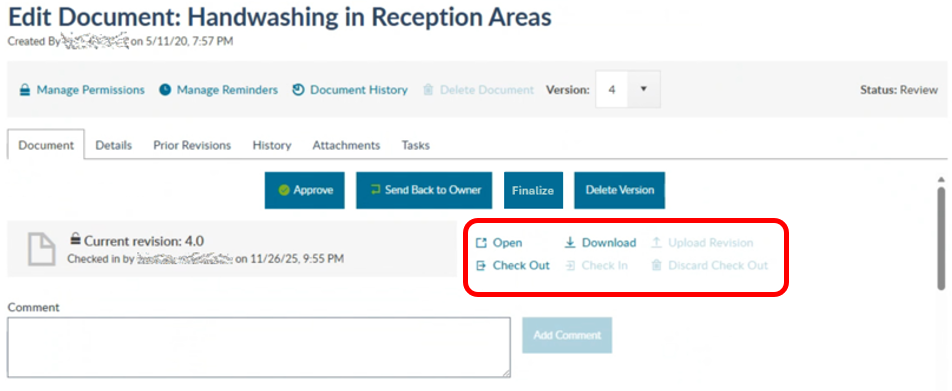
Previous Experience Updated Experience What's Changed

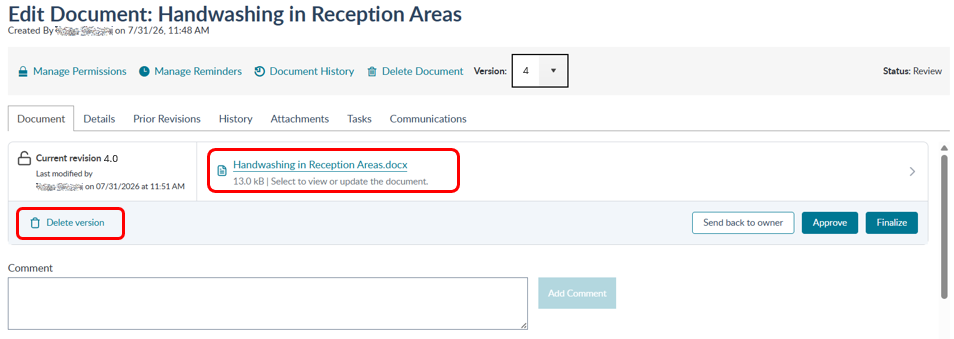
A clickable document file displays the document and revision details.

  • Check out happens after the user selects the document file.

  • A Delete Version option is available.


Make revision

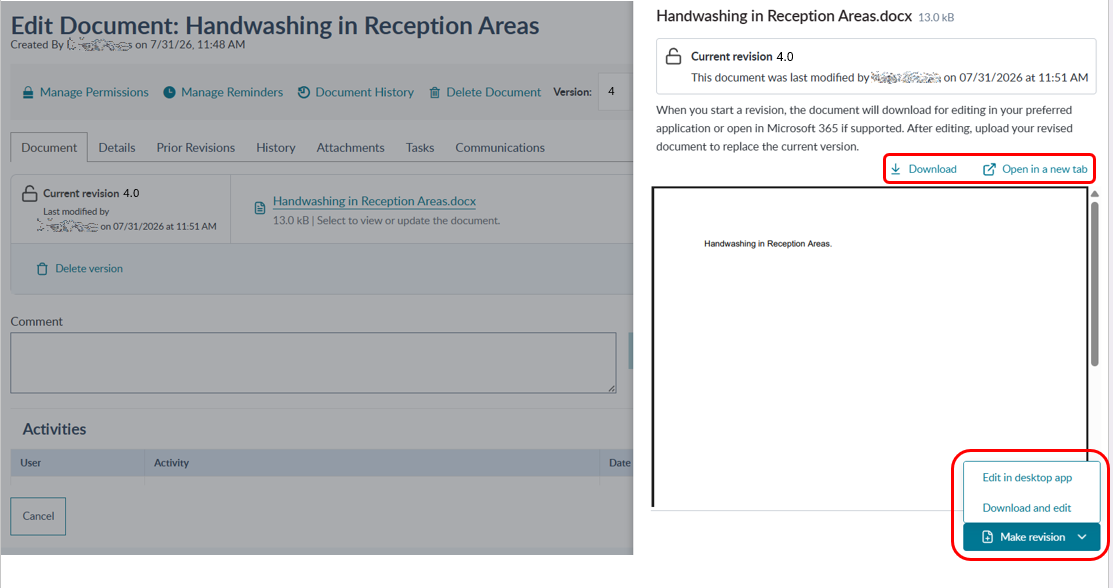
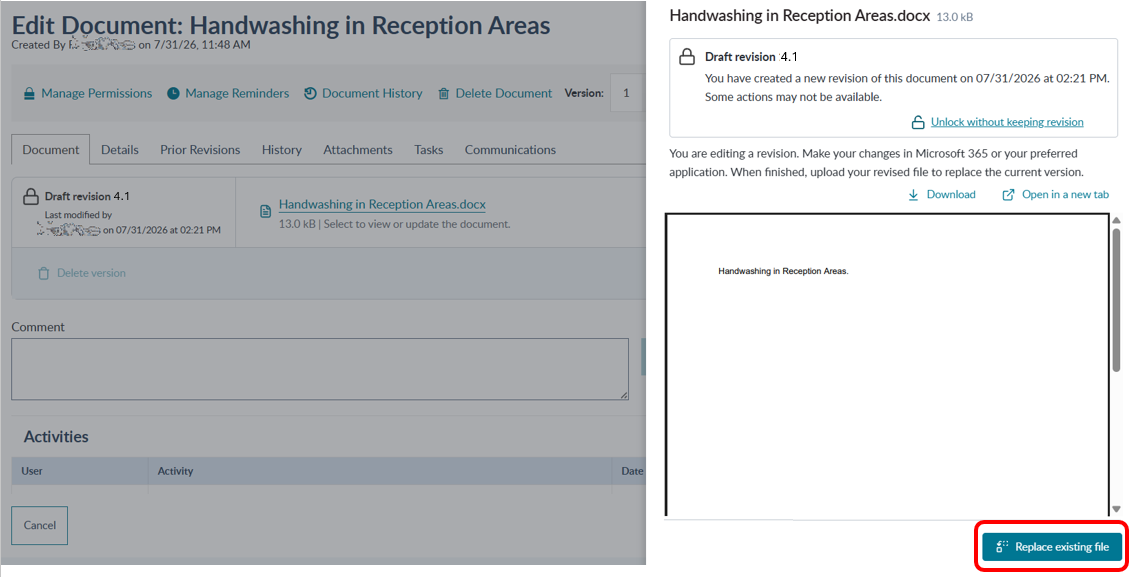
When the document link is selected, a side panel opens. Users can:

  • Use Make revision to automatically check out the document and edit. Document editing options vary based on your organization's software and may require either direct editing or a download-edit-upload process.

Note

After selecting Make Revision, choose Edit in desktop app or Download and edit. All users can use Download and edit. Edit in desktop app is available only when your organization's configuration supports it.

  • Choose Open in new tab, to review the document.

Opening a document for editing creates a new version and automatically checks out and locks the document to prevent simultaneous editing.


Edit in desktop app

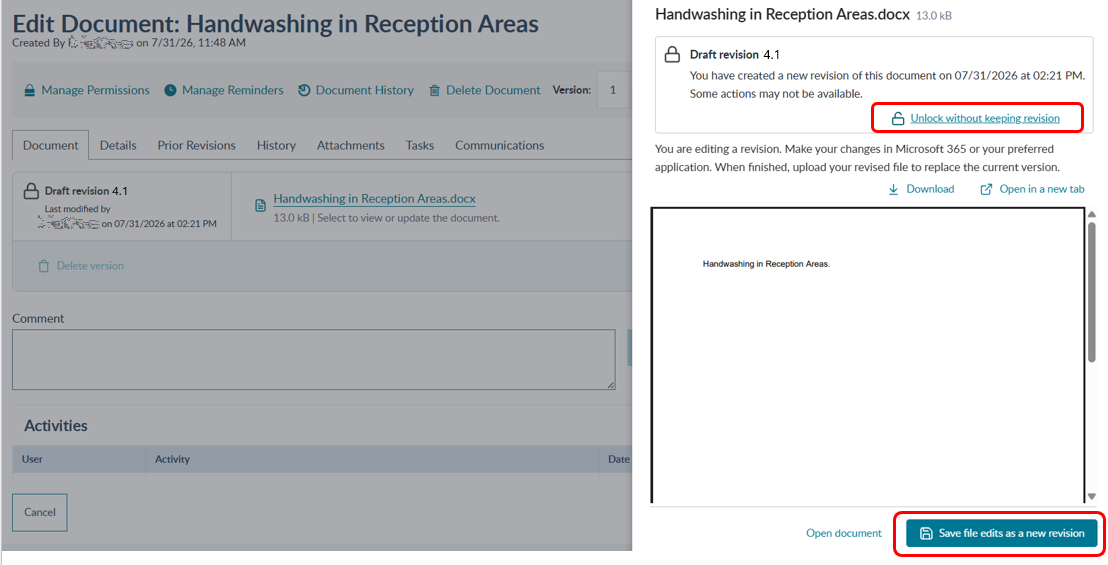
  • Users who select Edit in desktop app choose Save file edits as a new revision once edits have been completed. Once the edits are saved, the document is automatically checked in and unlocked.

  • Users can select Unlock without keeping revision to cancel edits and unlock the document.


Download and edit

  • Users who select Download and edit the must upload the edited document after saving the file to their local environment.

  • Select Replace existing file to upload the edited document.

  • Users continue to have the option to Unlock without keeping revision before upload.


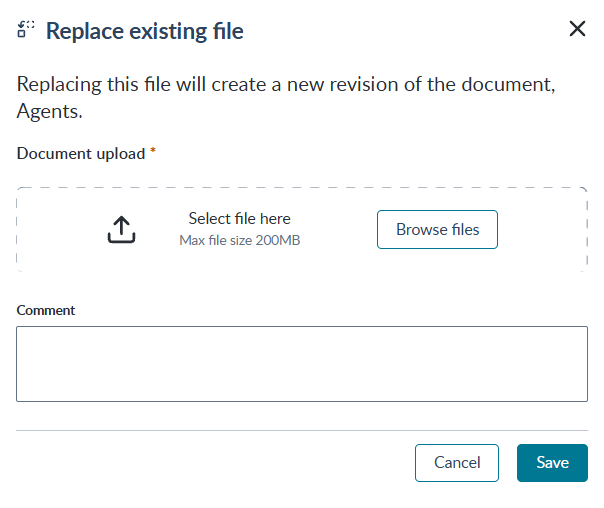
Replace existing file

  • Once Replace existing file is selected, the user selects Browse files to choose the edited file for upload.

  • Once the file is selected, click Save to upload the file. Once the edits are uploaded, the document is automatically checked in and unlocked.